
DentalQC › Docs › Scoring thresholds
Scoring thresholds
Every lab accepts its own amount of deviation. This page resets each measurement's thresholds in its own unit, not as a multiplier.
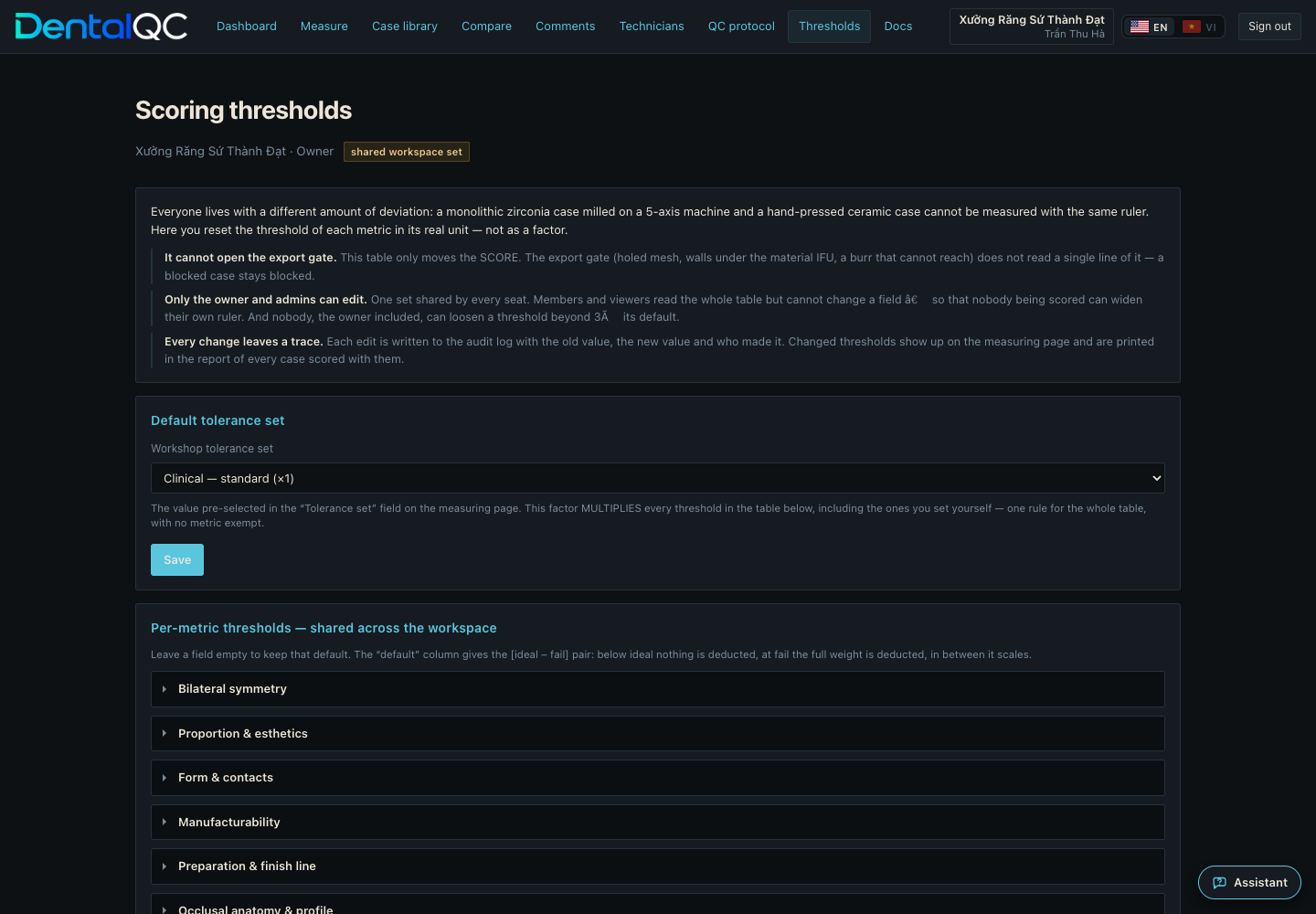
Who can edit which set
- Threshold scope by plan:
none(Free plan — scored with the default table, not editable),user(one set per account, applied only to cases that person measures),workspace(one shared workspace set, only owners/admins edit). - Under the page title it says whether you are viewing your set or the shared workspace set; the top right counts the measurements changed.
- With workspace scope, members and viewers can read the whole table but every field is locked (read-only mode).
- Three commitments at the top: this table cannot open a blocking gate; who can edit; every change leaves a trace (old value, new value, who) and shows on the measuring page and in reports.
Default tolerance set
- The Workshop tolerance set box (Lab / Clinical / Perceptual, with the multiplier) decides the preselected value of the Tolerance profile box on the measuring and batch pages. Whoever measures can still change it per run.
- Only owners and admins can Save this box.
- The profile multiplier applies on top of every threshold, custom ones included.
Per-metric thresholds
- Measurements are grouped by scoring group, one folding block per group; groups that already have overrides open by default and show a count badge.
- Columns: Metric, Default [ideal – fail] with unit, Ideal, Fail, Why changed. Hover a field to see the accepted range.
- Leaving a field empty uses that field's default. Changed rows carry a loosened / tightened tag and who changed it, with the date.
- Click Save. Invalid fields turn their row red with the reason (must be a non-negative number · outside the allowed range · ideal must be BELOW fail); valid fields are still saved.
- The Reset everything to defaults button (asks first) removes every custom threshold of the set being edited.
- Loosening is capped at ×3 and tightening floored at ×0.25 of the default — not even the owner can go beyond.