
DentalQC › Docs › Plan, payment and orders
Plan, payment and orders
Status label: Trialing · Active · Pay per case · Expired · Free, with the plan code and a one-line description (until when, how many days/credits left).
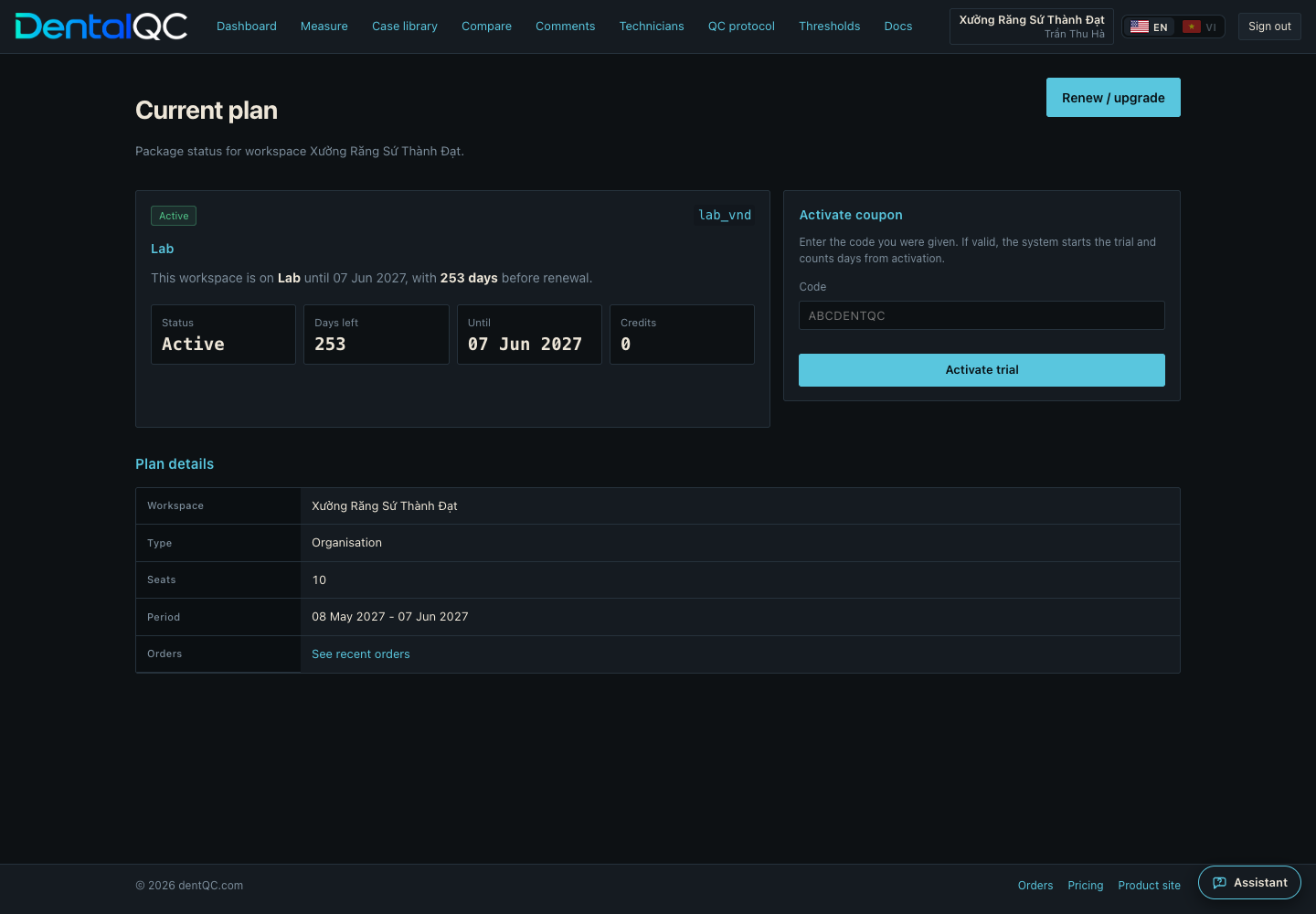
Plan page
- Status label: Trialing · Active · Pay per case · Expired · Free, with the plan code and a one-line description (until when, how many days/credits left).
- Four tiles: Status, Days left, Until, Credits.
- The Renew / upgrade button (owners/admins only) opens the Checkout page.
- Activate coupon: type the Code and click Activate trial; the trial period counts from activation. Common errors: wrong or already used code, expired code, code only for personal accounts or only for workspaces, code not assigned to this account, workspace already has an active subscription.
- Plan details: Workspace, Type, Seats, Period, and the See recent orders link.
Checkout (buy/renew)
- Only owners and admins can place orders.
- Pick a plan card (the current plan is labelled Current plan); a link switches between the VND price list (MoMo, bank transfer) and the USD one (PayPal, international cards).
- The Order block: a Terms box (subscriptions) or Cases box (pay-per-case) with a Recalculate button; explanation lines: credits are valid for 12 months; buying the same plan again extends the current term; switching to another plan stops the running one immediately and the remaining time is not converted. The Total is calculated by the server.
- Payment method: PayPal · Visa / Mastercard (USD price list) · MoMo wallet · VietQR bank transfer (VND price list). Click Continue to payment.
- Card and wallet details are entered on the payment provider's system; the DentalQC server never receives or stores card numbers.
Payment page of an order
- MoMo: redirects straight to the MoMo gateway. PayPal/card: the pay button is on the page.
- VietQR: a QR code with account number, account name, amount and the transfer memo (reference code) — use exactly that memo; the page checks the status itself and tells you when the money arrives.
- An order can be reopened from the Orders page while it is valid. An expired order needs a new order — do not transfer to the old reference.
- Money received but plan not active yet: usually done within a few minutes; after 15 minutes contact support with the reference code.
Orders
- Opened from the footer (Orders) or from the Plan page. Every member can see it.
- Top line: the plan in use and until when (or when it expired), and Credit left. The Buy a plan button for owners/admins.
- Table: Reference, Item, Method, Amount, Status (Waiting · Paid · Failed · Cancelled · Expired · Refunded), Date. “paid, activating” and “only X received” (underpaid) appear right under the status.
- Waiting orders have a Continue payment button.
- Transferred but not recorded after 30 minutes: send the reference code from the first column with a photo of the receipt.
How a measurement is billed
- Re-measuring the exact same file (different settings) within 30 days: not billed.
- A revision of the same exocad case (same case ID inside the file, changed file) within 30 days: not billed.
- A new case: counts against the subscription, or uses 1 credit (pay-per-case), or uses the free plan's daily case allowance.
- Expired plan: no new cases, but the library, case details and old reports stay fully available.
- How a measurement was billed is shown in the Billed as line of the case detail.