
DentalQC › Docs › Case library, case detail and A4 report
Case library, case detail and A4 report
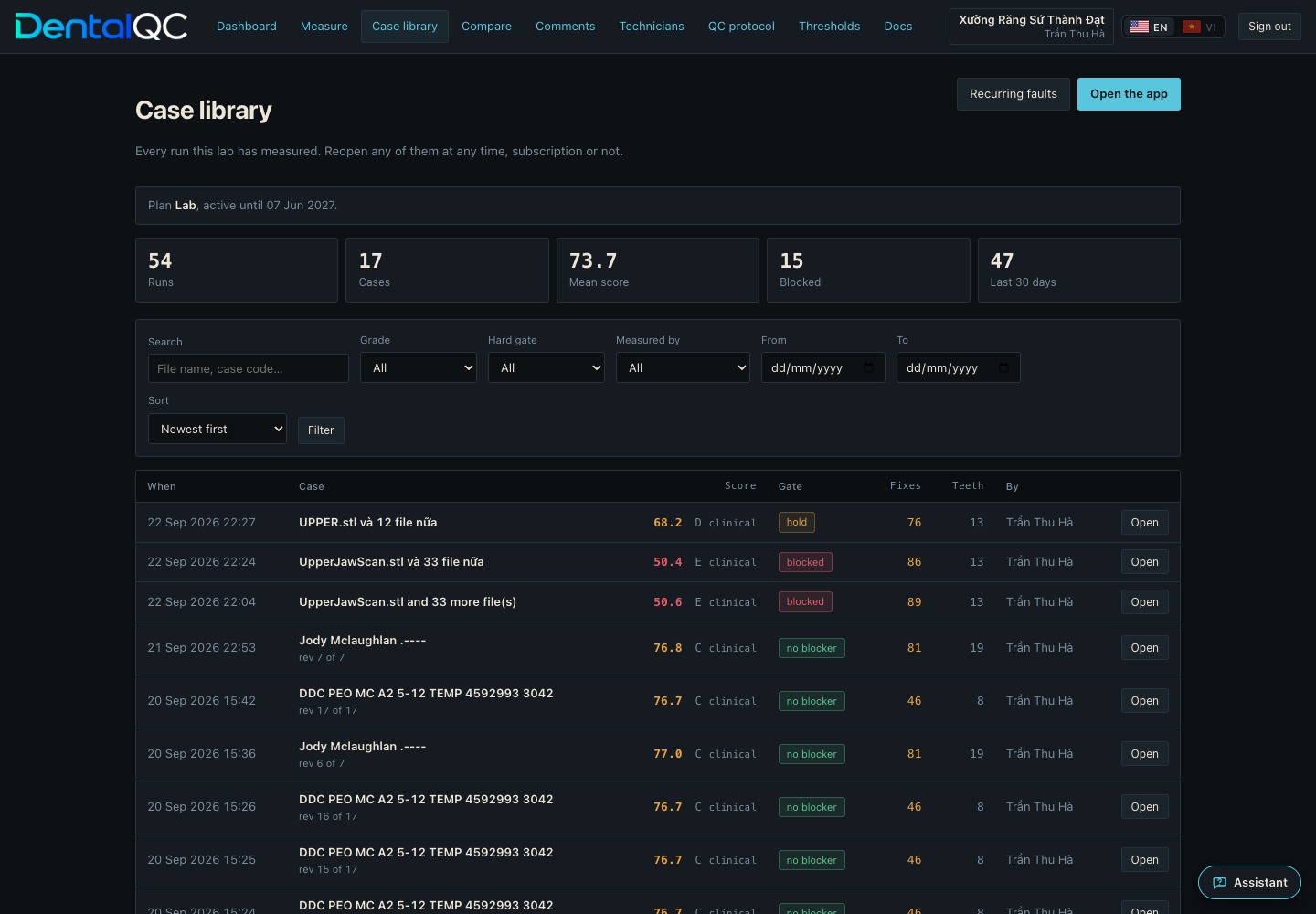
Each library row is one MEASUREMENT, not a merged case. The library is not locked by subscription: after a plan expires every case can still be reviewed.
Case library › header
- The Open the app button opens the measuring page.
- The plan status line (with See pricing when there is no paid plan).
- Five tiles: Runs, Cases, Mean score, Blocked, Last 30 days.
Case library › filters
- Search: by file name or case code.
- Grade: A, B, C, D, E.
- Hard gate: no blocking issue · hold · blocked.
- Measured by: only shown when you can see everyone's cases and several people measure; the number in brackets is the run count.
- From / To dates.
- Sort: Newest first · Oldest first · Lowest score first · Highest score first.
- Click Filter to apply and Clear filters to reset. Filters are kept when paging.
Case library › table
- Columns: When, Case (case or file name, with “rev k of n”), Score (with grade and tolerance set: lab/clinical/perceptual), Gate, Fixes, Teeth, By (when you see everyone's cases), and the Open button.
- Click the case name or Open to open the case detail at exactly that run.
- Paging under the table: ← Previous / Next → with “Page x of y · n runs”.
- Members only see their own cases if the owner turned off “Members can see each other's cases” in Profile.
- Results and rendered images are kept forever; the original file only for 7 days.
Case detail
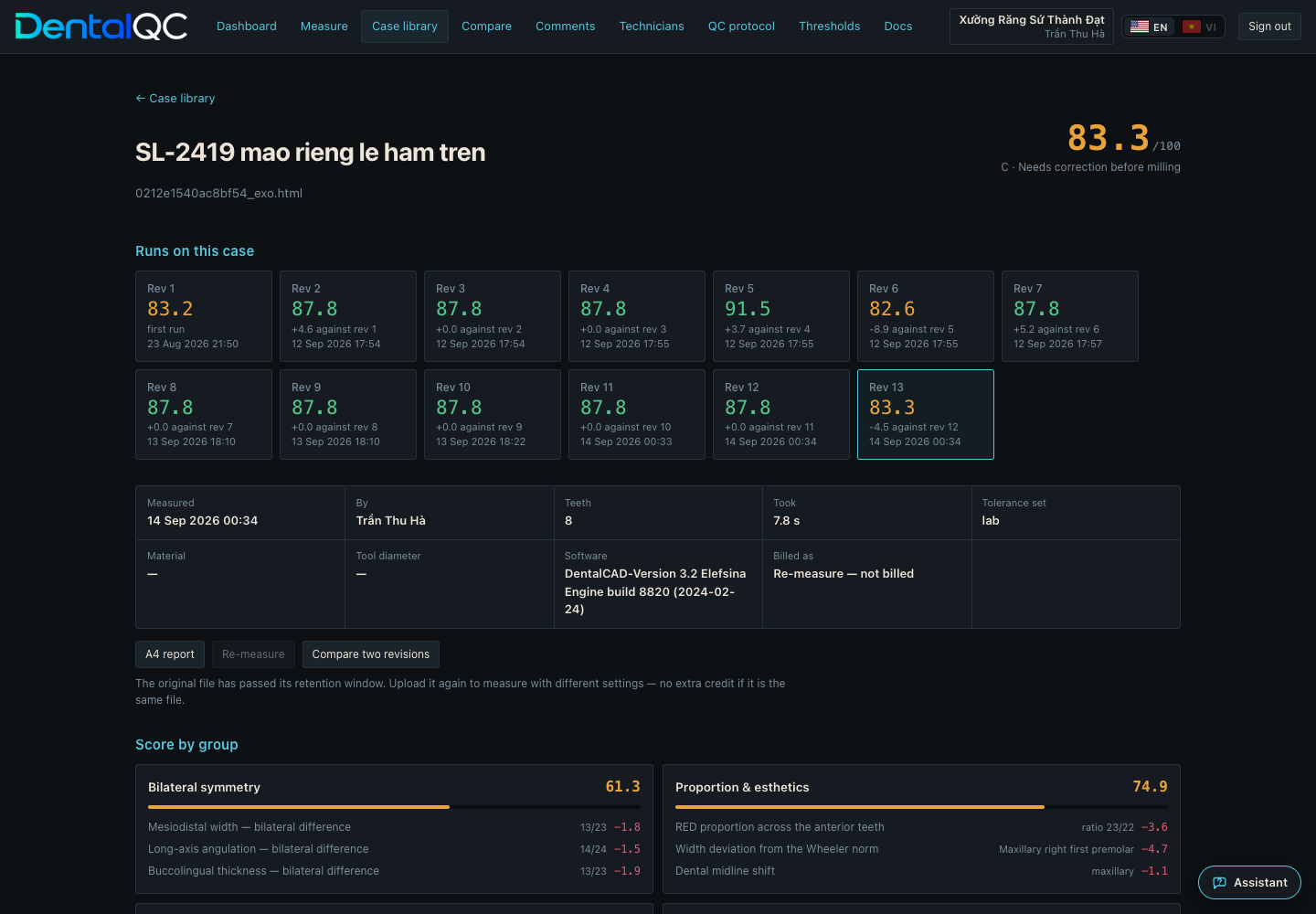
- The ← Case library link; case title, file name, a large score /100 and the grade.
- Runs on this case (when the case has several): Rev n cards with score, difference from the previous revision and measurement time; click a card to switch. The newest revision opens by default.
- Info card: Measured, By, Teeth, Took, Tolerance set, Material, Tool diameter, Software, Billed as (within the free allowance · re-measure — not billed · revision of a paid case — not billed · subscription · 1 credit).
- Buttons A4 report (new tab), Re-measure with other settings (opens the measuring page with the original file; dimmed once the file has expired), Compare two revisions (when the case has two or more).
- Blocks: Score by group (score bar and the items that lost the most in the group), Hard gates before delivery (item, state, reason), The seven QC stations, Where the points went (Criterion, Where, Measured, Penalty), To fix, Rendered views (per view and arch).
- This page measures nothing: it reads saved figures, so it still opens after the original file is deleted. If the digest is gone, only the figures stored in columns are shown.
A4 report
- Opened from Export report on the measuring page (right after measuring), from A4 report on the case detail, or from the Report button on the batch page.
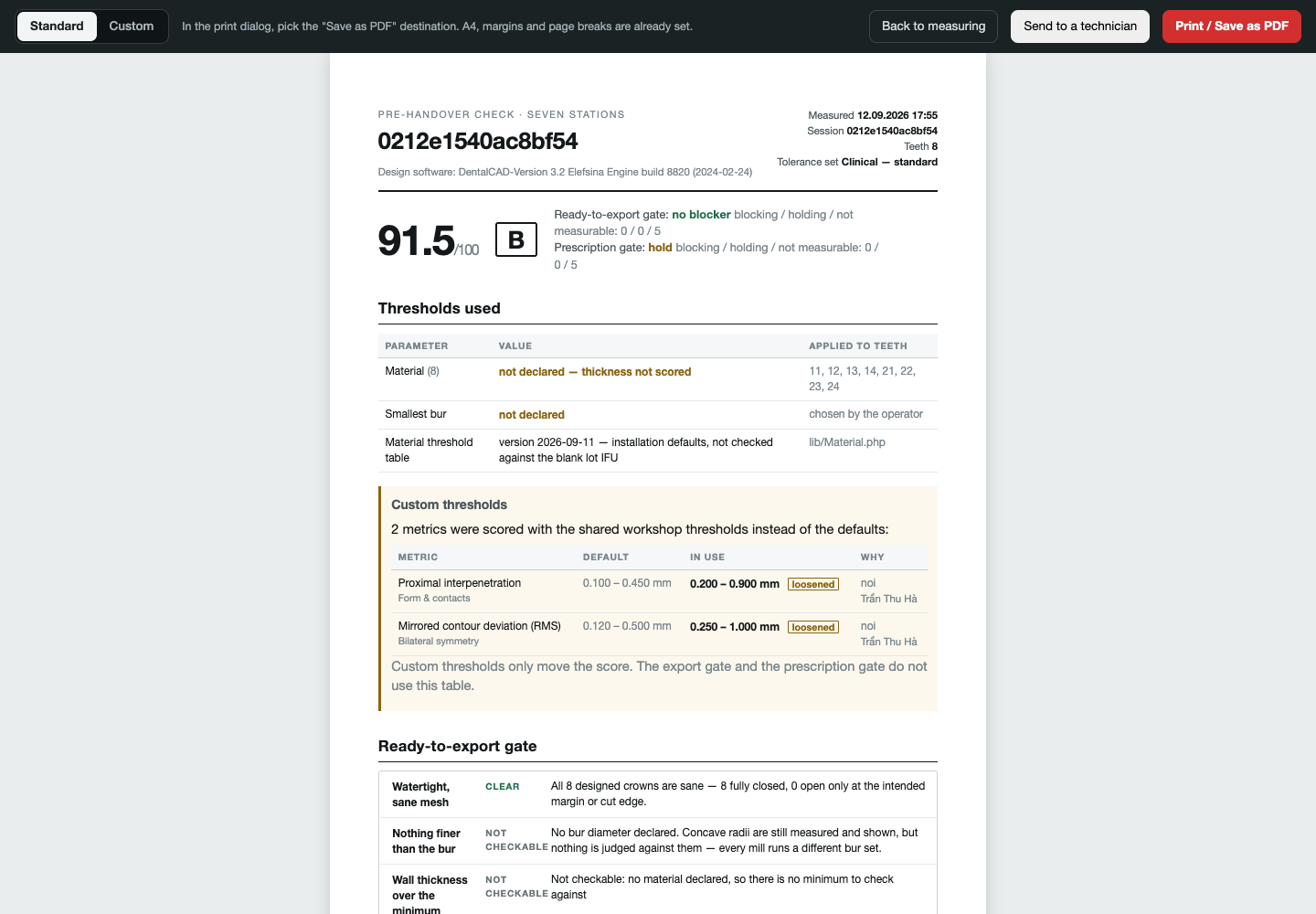
- Print / Save as PDF button: in the print dialog choose “Save as PDF”; A4 size, margins and page breaks are preset. Back to measuring button.
- Contents: score and grade, Thresholds used, Custom thresholds, Ready-to-export gate, Prescription gate, The seven stations, Scores by group, What needs fixing, wall thickness per tooth, contacts and connectors, mesh health, Projections, What was NOT scored, and why, Warnings about the input data.
- Gate rows that are “not checkable” always stay on the printout so they are not read as passed.
- Reports opened from the library require sign-in and still print after the original file has been cleaned up.