
Dashboard
The first page after signing in. It answers one question: what needs doing today.
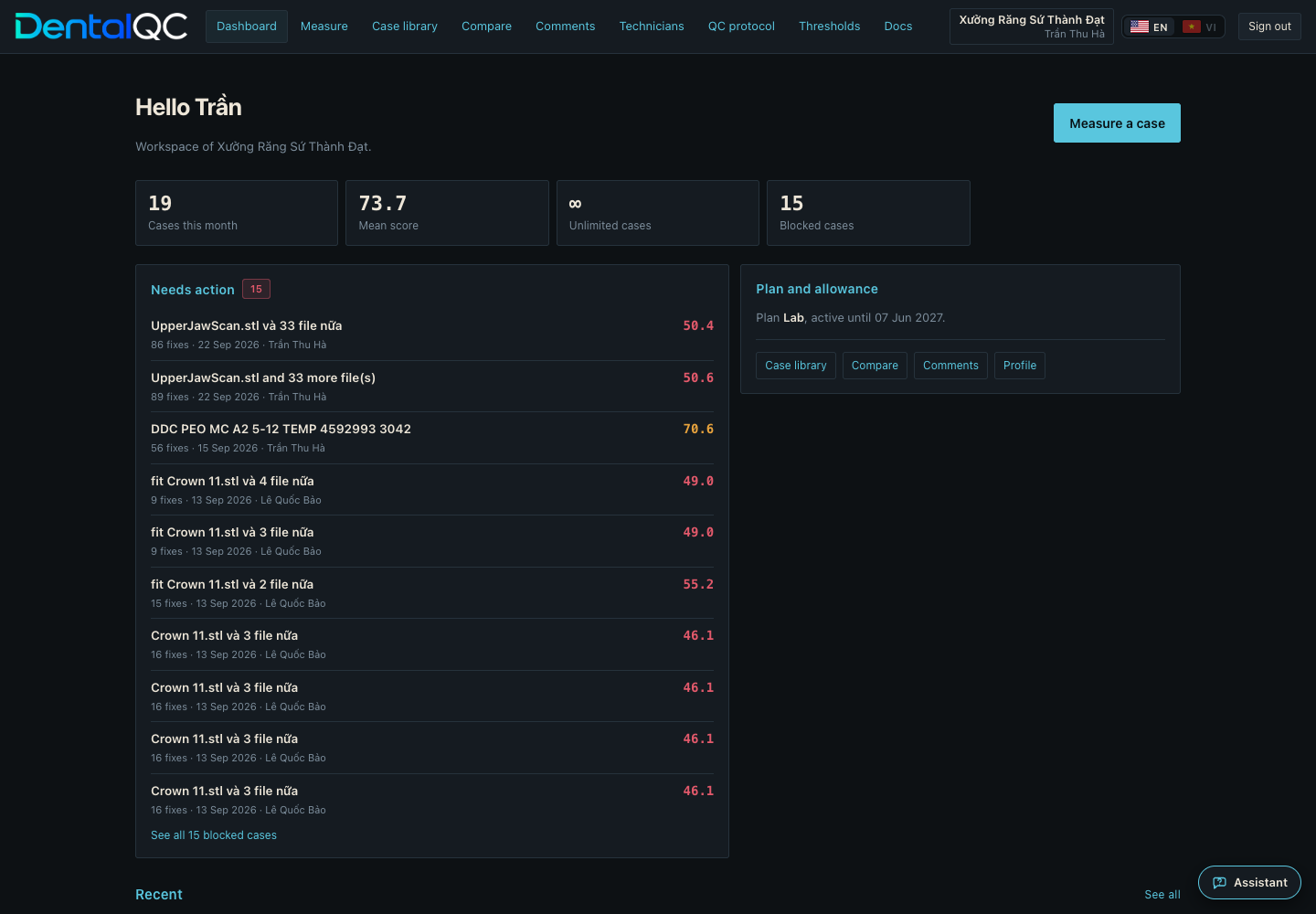
Page header
- A greeting with the workspace name, and the big Measure a case button that opens the measuring page.
- Tile Cases this month: new cases measured this month (to compare against your limit).
- Tile Mean score: the mean overall score of the measurements you can see, coloured by the score scale.
- Tile Left today: only meaningful on plans with a daily case limit (the free plan). Paid plans show ∞ Unlimited cases.
- Tile Blocked cases: measurements whose export gate is blocked.
Needs action block
- Lists up to 5 cases blocked by a hard gate, with score, number of issues, time and who measured it. Click a case name to open its detail.
- With more than 5, click See all N blocked cases to open the Case library already filtered to “blocked”.
- With none, the block says plainly that every measured case can be delivered.
Plan and allowance block
- One status line: on trial / active until a date / expired / pay-per-case with N credits left / free plan with N cases per day.
- When today's slots are used up a warning appears: re-measuring a case already measured still works, only new cases wait until tomorrow.
- Shortcuts: Case library, Compare, Comments, Profile, and Pricing when the workspace has no paid plan.
Recent and By operator
- Recent: the 8 latest measurements with columns When, Case (with “rev k of n” when a case has several revisions), Score + grade, Gate, Fixes, By, and an Open button. See all opens the Case library.
- By operator (last 90 days): only shown when the workspace has two or more people measuring and you can see everyone's cases. Columns Cases, Runs, Mean score, Blocked; the See cases button opens the library filtered to that person.