
DentalQC › Docs › Version comparison
Version comparison
Answers “is it really fixed, and did anything else break”. Gates are read before scores; keys that got worse are read before keys that improved.
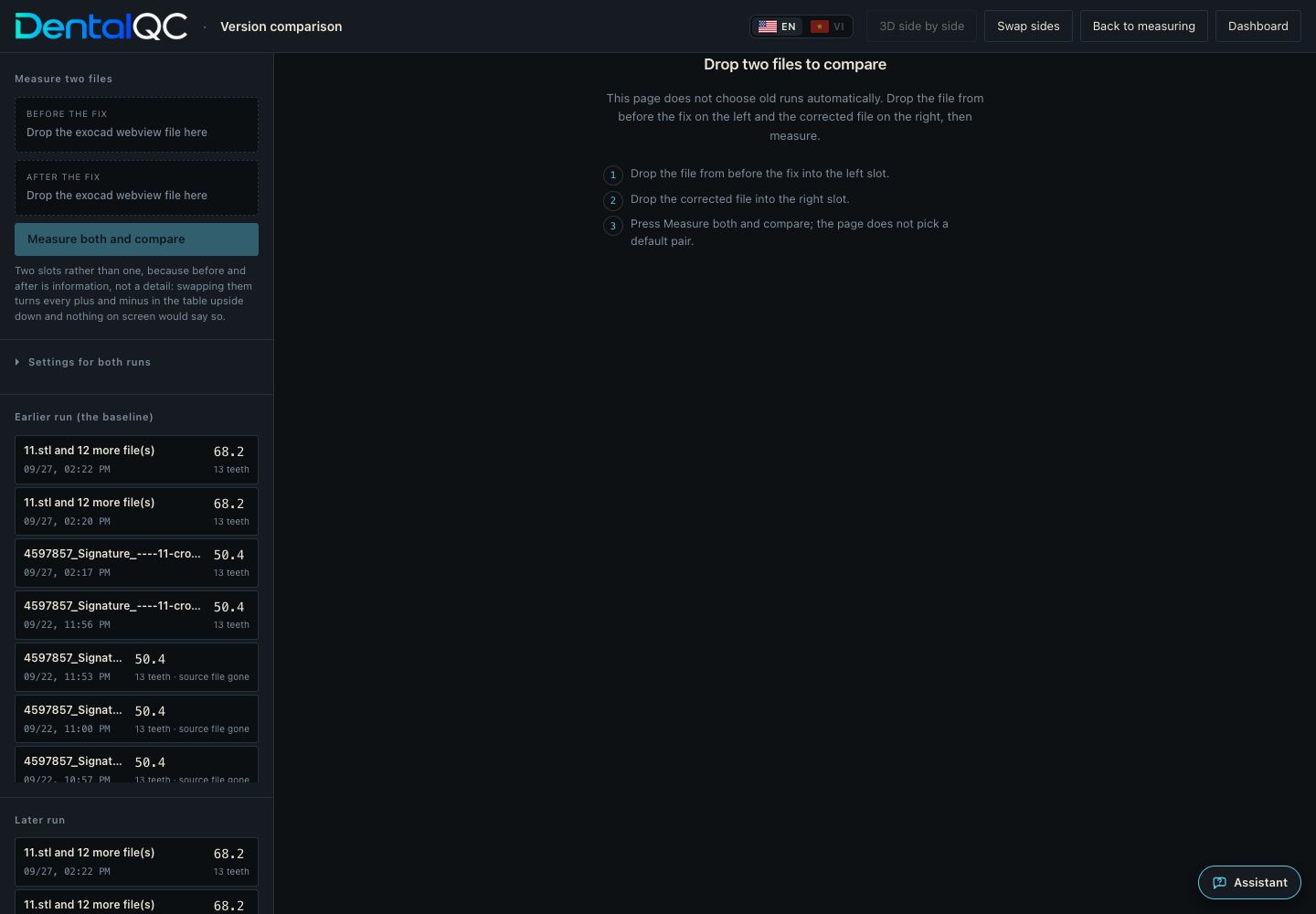
Top bar
- Score strip (after comparing): before score → after score, the difference, and the number of keys improved / worse.
- 3D side by side: opens the shared-camera 3D viewer; enabled only while both measurements' original files exist.
- Swap sides: swaps before/after so the plus/minus signs read the right way.
- Back to measuring, Dashboard, language flags.
Left rail › Measure two files
- Two separate slots: Before the fix (left) and After the fix (right). Click a slot or drop an HTML webview file on it.
- Each slot shows its state: size — ready; already measured with exactly these settings (will be reused, not re-measured); measuring; measured in N seconds with N points.
- The Measure both and compare button: measures both files with the same settings and builds the difference table. The page never picks a default pair.
- When opened from Compare versions on the measuring page, the case you just measured is already in the after position.
Left rail › Settings for both runs
- A folded block — click its title to open. Contains Tolerance profile, Arch, Restorative material, Smallest bur and Prescription.
- One set for BOTH files: the tolerance profile multiplies every threshold, so two versions measured with different profiles give a meaningless difference table. The prescription belongs to the case, so there is only one.
Left rail › Re-pick older runs
- The Earlier run (the baseline) and Later run lists: only for picking two existing measurements yourself instead of dropping files.
- Only two measurements of the same case can be compared. Runs whose tooth set does not overlap the other side are dimmed (not hidden); runs whose original file is gone are labelled “source file gone”.
- Comparison uses the saved digests, so it answers instantly even for large cases. Digests are kept for 90 days.
Reading the difference table
- Order: Gate items that changed hands → Stations that changed tier → Score by group → Key by key.
- Key by key is split into four parts: Worse, No longer measured, Newly measured, Better; keys that did not move are counted together.
- Columns: Key · Worst at · before · after · Δ penalty (0 = perfect, 1 = past the fail threshold; negative is better) · Δ points (penalty times weight — the column that says what moved the score) · places.
- Summary line: how many points up or down, how many keys better/worse, or a “trade-off” when the score barely moved but keys moved both ways.
Comparability warnings
- The two runs used different tolerance profiles → treat the score difference as noise and read the gate items.
- Other settings differ (material, tool, arch…) → each one is listed because it moves the numbers by itself.
- The set of units changed (teeth added/removed) → part of the difference belongs to that change.
- Too few teeth overlap → these are not two versions of one case, and the table is not shown.
- A group score can move while no key got worse when the key set changes (the denominator changes) — do not hunt for a bug that is not there.